
Princess Baby Shower Party
Sniffy GamesRole Playing
3.8116.00 Reviews
- Version
- 137
- Installs
- 10.00M
- Age Rating
- Everyone
Screenshots
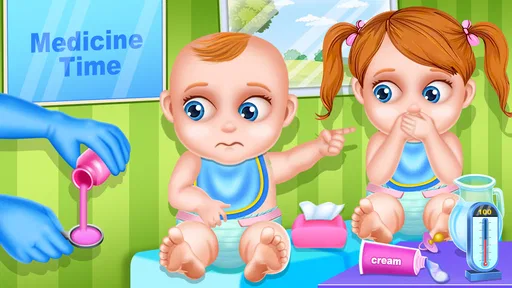

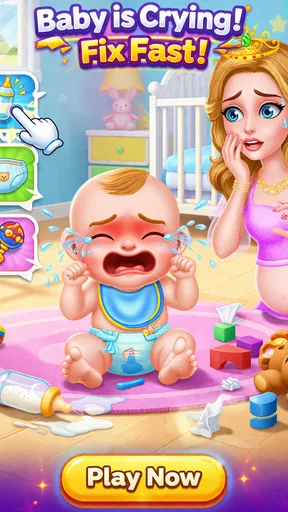
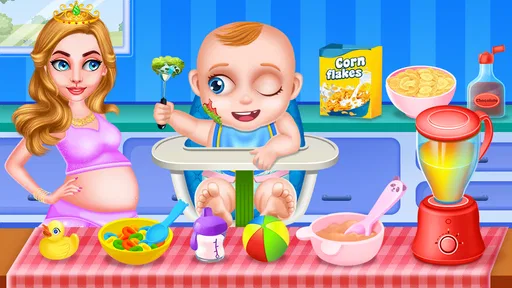
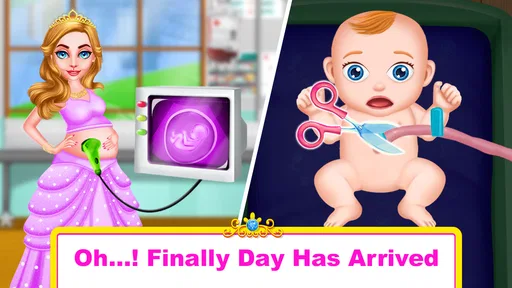
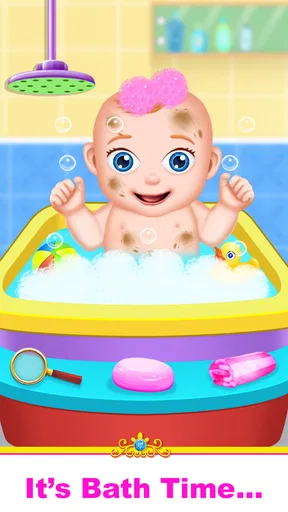
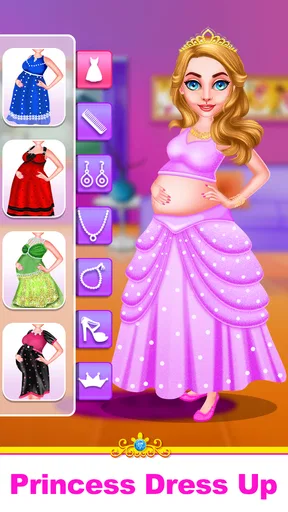
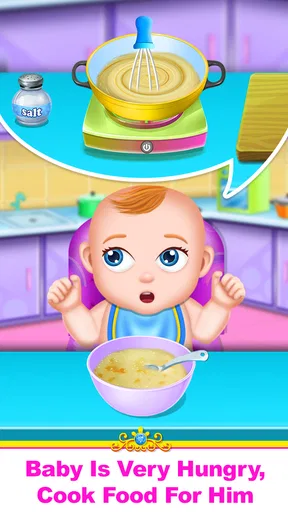
Our Review of Princess Baby Shower Party
 Analysis by Appyee
I approached Princess Baby Shower Party expecting a small, gentle role-playing game rather than a deep adventure, and that is exactly how it feels in use. The focus is on preparing a princess-themed baby shower, choosing outfits, arranging decorations, and looking after the baby. It is aimed at players who enjoy simple creative tasks and caring activities more than combat, story complexity, or long-term character development.
That narrow focus is both its appeal and its main limitation. I found it easy to understand almost immediately, which makes it suitable for children and for short play sessions. At the same time, anyone looking for a substantial role-playing experience may find the activities light. My overall impression is that this is best treated as a casual dress-up and care game with role-playing elements, not as a traditional quest-based RPG.
What the first session feels like
The opening experience is built around a clear theme: get the party ready and care for the baby. Instead of asking me to learn a complicated system, the game presents familiar tasks connected to dressing, decorating, and looking after the central character. That makes it approachable for a child who may not have played many mobile games before.
Where players are most likely to get stuck is not in understanding the theme, but in knowing what to do next when several activities are available. A young player may tap around quickly, choose an item by mistake, or leave a screen before understanding how the current task is finished. I recommend slowing down during the first few minutes and treating each screen as a small activity rather than rushing through it.
The visual idea is easy to grasp, but the experience depends heavily on personal taste. Players who like princess styling, baby-care scenarios, and party preparation will have an obvious reason to return. Players who prefer collecting powerful characters, exploring maps, or making strategic decisions will not find the same depth here. The game does not try to compete with large role-playing adventures; it offers a much softer, more contained kind of play.
One useful way to play is to give each session a purpose. On one visit, I would concentrate on the outfit and make a complete look before moving on. On another, I would focus on the party setting and care tasks. This avoids the feeling of tapping randomly and helps a child understand that the game is a sequence of small creative choices.
The strongest part is the low learning curve. A child can experiment without needing to understand statistics, complicated menus, or a long story. That also makes it a reasonable option for a brief quiet activity, especially when an adult wants something less demanding than a competitive game.
Where setup can create confusion
Before judging the game, I would check the device itself. The current version is 137, and the game requires Android 8.0 or later. If it does not install or open correctly, the operating system is one of the first things to verify. A device that is very full can also make installation or updating less comfortable, so clearing ordinary storage space is a sensible first step.
I would also make sure the installation has completed fully before launching. If the game closes during its first start, restarting the device and trying again is a safer first response than immediately deleting anything. A stable connection can help with installation and updates, even though the core appeal is the on-device play experience rather than online competition.
For a child using a shared phone or tablet, it is worth opening the game once before handing over the device. This lets an adult confirm that the controls are understandable, check how the activities flow, and decide whether the available purchase prompts fit the household. The game is free to download, but optional in-app items range from $0.09 to $2.99 each, so accidental taps are a practical issue for families.
The content rating is Everyone, which matches the soft, family-oriented presentation. Still, an age label does not replace supervision around purchases or screen time. I would set expectations before play: the child can explore the styling and party activities, while any purchase requires permission. That simple rule removes much of the avoidable friction.
The developer is Sniffy Games, and the game has been available since October 29, 2018. Its long presence and broad reach suggest that the basic concept has found an audience, but popularity should not be mistaken for a guarantee that every child will enjoy the same loop. The average rating is 3.8 from around 9,200 ratings, which feels consistent with a game that is charming for the right audience but limited for players expecting more variety.
Recovering when a session goes wrong
A common everyday situation would be a child playing on a family tablet while getting ready for a party or waiting during a quiet afternoon. The child selects an outfit, moves into the decoration activity, then taps the wrong control and believes the progress has disappeared. My first recommendation would be to look for a return or confirmation control on the current screen before closing the game. Many small mobile activities make a distinction between choosing an item and finishing the activity, and rushing can make those steps seem like the same action.
If the screen becomes unresponsive, I would close the game normally, reopen it, and test the same activity without repeatedly tapping. Rapid taps can make a simple interface feel broken when it is only processing the previous selection. If the problem continues, restarting the device is a reasonable general troubleshooting step. I would avoid clearing app storage as an early fix because that can remove locally retained progress, depending on how the game handles saves.
Another useful habit is to change only one thing at a time. If the game is slow, do not simultaneously switch networks, uninstall it, clear storage, and change device settings. Close other demanding apps first, reopen the game, and see whether the behavior improves. This makes it easier to tell whether the issue is temporary device load or something specific to the game.
When a child says an item has vanished, I would check whether it was actually selected, whether the screen has a separate confirmation step, and whether the activity has moved to another stage. In a dress-up game, a choice can sometimes be hidden by the next menu or replaced visually by a new layer. Careful checking is more useful than assuming the content has been lost.
If an update is waiting, installing it before testing further is sensible. The same applies after moving the game to a newer device: start with a clean launch, confirm that the main activities open, and only then let a child spend time customizing the party. This small check can prevent disappointment if the device has compatibility or storage trouble.
When the game is not really the problem
Not every failed launch or sluggish screen points to a defect in the game. Older hardware, very low free storage, aggressive battery-saving settings, or too many background apps can all affect a casual title. Because the game is designed for simple touch interaction, a delayed response is especially noticeable: a child expects an immediate visual change after tapping an outfit or decoration.
I would first test whether other apps behave normally. If several apps are slow, the device is the more likely source. Closing background apps, restarting, and checking available storage are sensible first steps. If only this game has trouble, then reinstalling may be worth considering, but I would do that only after thinking about whether any progress is stored locally.
Screen size also affects the experience. On a small phone, clothing and decoration choices may feel cramped, particularly for a child using quick taps. A tablet can make the visual activities easier to inspect, although performance still depends on the device. This is a practical difference that a store summary cannot really communicate: the same simple game can feel comfortable on one screen and fiddly on another.
Touch accuracy matters too. A thick case, a damaged screen, or a child tapping several times at once can make the controls seem unreliable. Cleaning the screen and trying deliberate single taps can clarify whether the issue is interaction or software. I would also avoid judging the game while the device is overheated or nearly out of battery, since those conditions can affect responsiveness.
Parents should also separate technical frustration from content expectations. If a child loses interest because the activities feel repetitive, troubleshooting will not solve that. The game’s central appeal is the themed routine of dressing, decorating, and baby care. It is not designed to become a complex role-playing campaign with new strategic layers. Recognizing that early helps families decide whether to continue, rather than searching for a missing feature that is not part of the experience.
How it compares with other casual role-playing choices
Compared with dress-up games, this one has a more specific event-based setting. The baby-shower theme gives the activities a clear reason to exist, which can be more engaging for a child who enjoys pretend play. A general fashion game may offer a broader wardrobe concept, while this title connects clothing and decoration to one occasion.
Compared with baby-care games, it adds the princess party angle and styling decisions. That combination gives it a slightly wider imaginative frame, but it also means the experience may feel less focused to someone who wants only feeding, bathing, or routine care. Compared with large role-playing games, it is far easier to start and far less demanding, but it does not offer the exploration, character progression, or strategic choices that define those alternatives.
This difference matters when choosing it for a particular player. I would recommend it to someone who wants a calm, touch-friendly activity that can be understood without reading a long tutorial. I would skip it for a player who needs frequent surprises, competitive goals, a substantial narrative, or a sense of progress that continues for many hours.
The free entry point is helpful for testing that fit. A family can try the basic experience before deciding whether optional items are worthwhile. I would not buy anything immediately. First, I would see whether the child returns to the same activities naturally and whether the available customization feels meaningful rather than merely decorative. Since individual purchases are small, it is easy to underestimate how quickly several taps can add up.
Small habits that make it work better
My first practical tip is to create a short play routine: choose the look, complete the party setup, then finish the care activity before leaving. This gives the session a beginning and an end, which is useful for children who struggle with stopping halfway through an open-ended game.
Second, I would let the child make one deliberate choice before offering help. If the child is unsure whether to select clothing or decoration, asking what kind of party they want can turn the moment into pretend play instead of a technical lesson. The game works best when the adult supports the decision-making without taking over every tap.
Third, I would use the game as a creative prompt rather than a progress race. After arranging the party, a child can describe who is attending or why a particular outfit was chosen. That adds value without pretending the game has a deeper story system than it actually does.
Finally, keep purchase controls separate from the play decision. Because the game is free but includes low-cost optional items, an adult should handle any buying choice calmly and explicitly. This is more effective than relying on a child to understand the difference between an ordinary selection and a paid item.
My practical verdict
After spending time with it, I see Princess Baby Shower Party as a straightforward casual role-playing game for children and anyone who enjoys princess styling, party decoration, and gentle baby-care play. Its best qualities are immediate accessibility, a clearly defined theme, and activities that fit short sessions. The Everyone rating and free price make it easy to consider, while the large install base of over 10 million shows that the concept has broad appeal.
Its weaknesses are equally clear. The experience is not a substitute for a full RPG, and players who want deep progression or a wide range of systems may outgrow it quickly. Repetitive interaction, small-screen tapping, and optional purchase prompts can also reduce the enjoyment if the device or household setup is not prepared.
I would install it for a younger player who likes imaginative dress-up and wants a simple party scenario rather than a demanding adventure. I would test it first on the intended device, confirm that the game opens smoothly, and establish a purchase rule before handing it over. If those checks go well, it can be a pleasant short-form activity. If the player is asking for exploration, challenge, or a lasting story, a more substantial role-playing game will be the better choice.
In short, Princess Baby Shower Party succeeds when its modest scope is treated as the point, not a flaw to overlook. I recommend it as a calm, themed creative game, with the honest warning that its value comes from easy pretend play rather than depth. For the right player, that simplicity is exactly what makes it enjoyable.
Verdict
Strengths of Princess Baby Shower Party
- Simple controls make it suitable for young children.
- Colorful visuals and cute characters keep the experience engaging.
- Activities can encourage creativity through decorating and styling.
- Short mini-games are convenient for quick play sessions.
- Child-friendly themes avoid complex or intimidating gameplay.
Limitations of Princess Baby Shower Party
- Gameplay may feel repetitive after completing the same activities several times.
- Some items or features may require in-app purchases.
- Frequent ads can interrupt play, especially in the free version.
- The app may offer limited challenge for older children.
- An internet connection may be needed for ads or certain content.
Similar Picks in This Category
View All
Hair Dye
CrazyLabs LTD4.4

Monster High™ Beauty Salon
CrazyLabs LTD4.5

Bus Simulator - Bus Games 3D
Jima Apps4.4

Flight Pilot: 3D Simulator
Wildlife Studios4.1


Super Stylist Fashion Makeover
CrazyLabs LTD4.4
Frequently Asked Questions
What is Princess Baby Shower Party?
Princess Baby Shower Party is a casual, family-friendly game centered on preparing and celebrating a royal-themed baby shower. Players can help organize the event, decorate different areas, choose outfits, and complete simple activities involving princess characters. Its colorful presentation and straightforward interactions make it especially suitable for younger players who enjoy dress-up, decoration, and pretend-party games.
How do you play Princess Baby Shower Party?
Gameplay is based on short, easy-to-understand activities rather than complex missions or difficult controls. Depending on the section you choose, you may decorate the party space, select clothing and accessories, prepare items for the celebration, or interact with the characters. Most actions are completed by tapping, dragging, and selecting objects, so children can generally start playing without a long tutorial.
Is Princess Baby Shower Party suitable for children?
The game is designed with a bright, playful style and simple mechanics that are generally appropriate for children who enjoy princess-themed experiences. However, parents should still review the app’s current age rating, advertising, and purchase settings before allowing independent play. If the game is used by a young child, enabling parental controls and supervising the first sessions is a sensible precaution.
Does Princess Baby Shower Party require an internet connection?
The basic activities may work without a constant internet connection, but the exact offline experience can depend on the version installed and the device being used. Internet access may be needed for advertisements, analytics, updates, or optional content. It is worth opening the game once while connected, checking which features remain available offline, and confirming that downloads come from an official app store.
Is Princess Baby Shower Party free to download?
Princess Baby Shower Party may be available as a free download, although the presence of advertising, optional purchases, or locked content can vary by platform and region. Before installing it, check the store listing for in-app purchase information and permissions. Families should also use device-level purchase restrictions, since children may be attracted to extra costumes, decorations, or other optional items.
Play our best games!


